
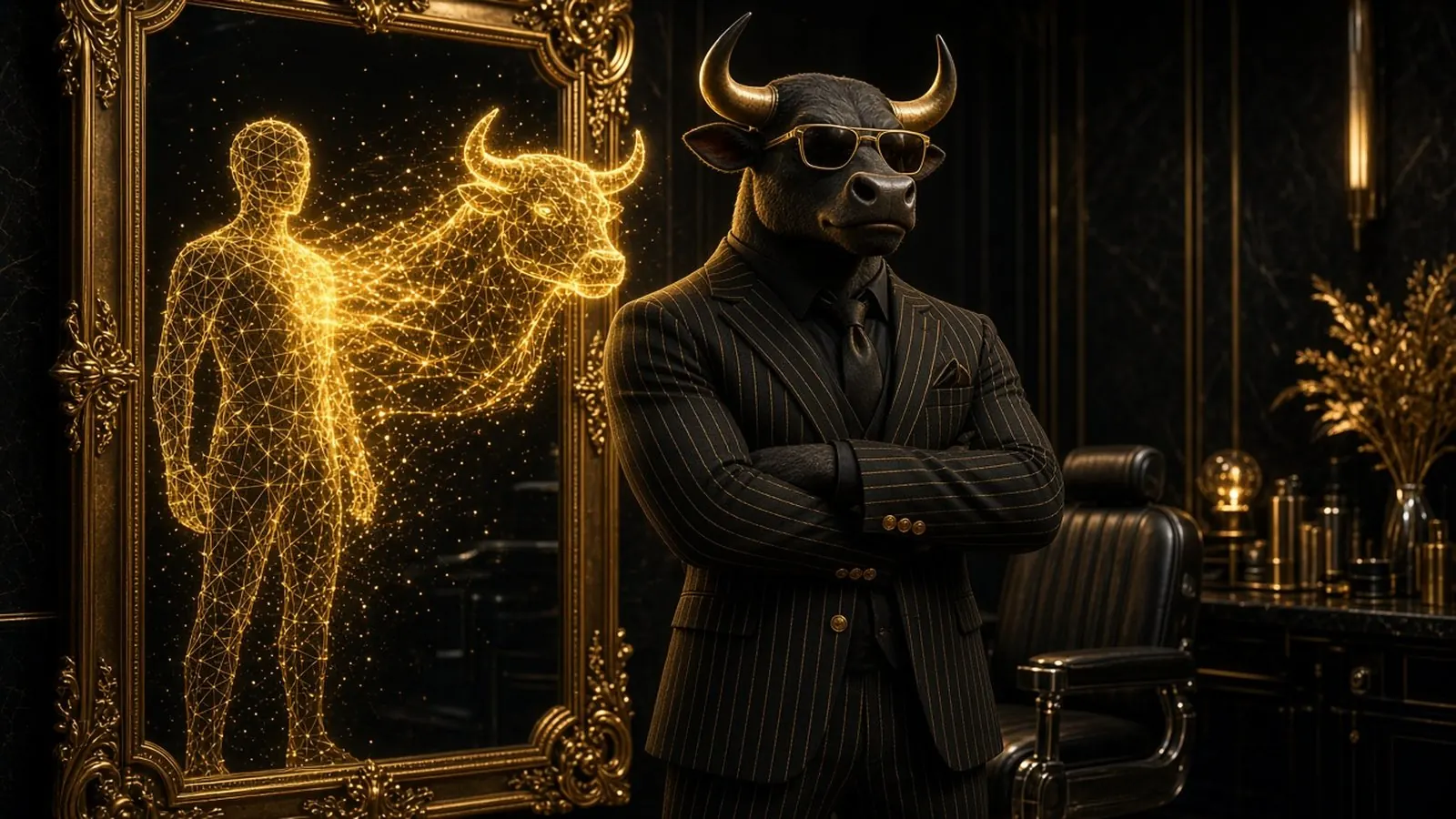
Here’s a fun fact: a bull-man at the barber shop has been watched more than a million times. That’s Don Toro, the AI alter ego of our founder Roly, and that barber shop Short is the most-watched video on his channel.
Don Toro didn’t go viral because the tools were fancy. He went viral because he’s a character, with a look, an attitude and a never-ending supply of bad days. And it turns out a lot of people want their own Don Toro.
YouTube’s Culture & Trends team just published a report on how people use generative video. In its U.S. survey of video posters aged 14 to 44, 72% said they already use AI on videos or images, and 61% said they’re interested in using AI to put themselves into their content (YouTube Blog, October 2026). More than two-thirds of people who post AI videos have already featured themselves in them.
So let’s build yours. Below is the exact method we follow: seven steps, two prompts you can copy, and the rules that keep your channel safe.
What is an AI alter ego, exactly?
An AI alter ego is a recurring character based on you (or inspired by you) that you create with AI images, animation, voice or music. It isn’t a one-off filter. It’s a personality you can bring back in video after video.
Think of it like a mascot with a soul. Roly even has a video where he transforms into Don Toro, a bull-man who gets stuck at airport security, survives roller coasters and treats leg day like a religion. You can meet him in the Don Toro Fan Zone, where you can even ask him a question in the chat.
Why bother? Three reasons:
- People remember characters, not logos. A face (or a snout) gives your brand something to recognize instantly in a fast feed.
- It solves the camera-shy problem. You can show up every week without filming yourself every week.
- It turns into a content engine. One good character can live in a hundred situations.
The Don Toro Method: 7 steps to your AI alter ego
1. Pick a concept you can explain in five words
“A bull-man with terrible luck.” That’s it. If you can’t pitch your character in one breath, it’s too complicated. Pick an animal, an object, an era or a profession, and mix it with something about you: your name, your job, your city, your sense of humor.
2. Give it a personality before you give it a face
Write three lines: how it talks, what it loves, and what always goes wrong for it. Don Toro is proud, dramatic and always confident right up until the moment the strawberry smoothie explodes. The flaw is where the comedy lives.
3. Lock the look with a reference sheet
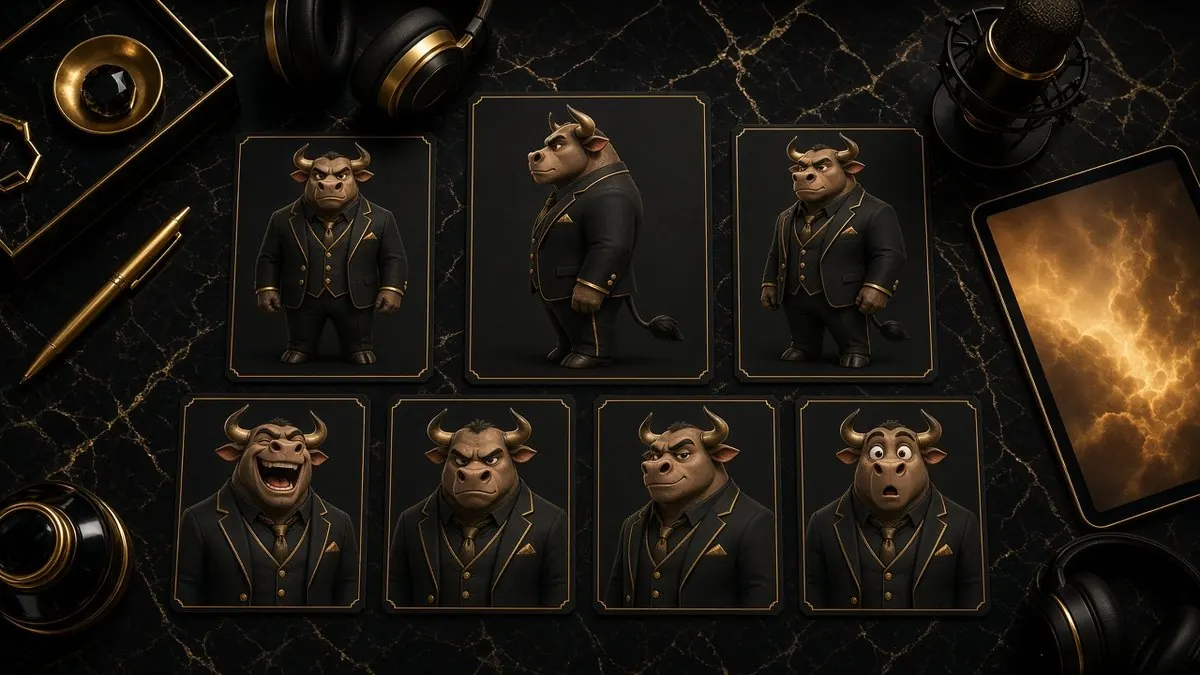
This is the step most people skip, and it’s why their character looks different in every video. Generate your character, pick the version you love, then create a small “character sheet”: the same character from the front, the side and three-quarter view, plus a few expressions. Save those images and reuse them as references every time your tool lets you upload one.
4. Write a “character bible” prompt and reuse it
Keep one paragraph that describes your character in exactly the same words every time. Paste it at the start of every prompt, then add the scene. Consistent words lead to consistent results. Here’s a template to copy:
CHARACTER: [Name], a [species/type] with [2-3 signature physical traits], always wearing [signature outfit + one accessory]. Personality: [3 adjectives]. Style: [3D animated / cinematic / cartoon], [lighting], [color palette].

SCENE: [Name] is [doing something ordinary] in [specific place] when [something goes wrong]. Expression: [emotion]. Camera: [shot type], vertical 9:16.
And a filled-in version, Don Toro style:
CHARACTER: Don Toro, a muscular bull-man with polished golden horns and a confident smirk, always wearing a black pinstripe suit and gold sunglasses. Personality: proud, dramatic, secretly sweet. Style: 3D animated, cinematic lighting, black and gold palette.

SCENE: Don Toro is ordering a coffee at a tiny cafe when his horns get stuck in the doorway. Expression: trying to look cool while panicking. Camera: medium shot, vertical 9:16.
Want more starting points? Our Prompt Library has copy-ready prompts for images, video and music.
5. Choose your toolkit
You don’t need ten subscriptions. You need one tool for each job:
| Job | What you need | What we use |
|---|---|---|
| Images | An image generator that accepts reference photos | Grok and Meta AI |
| Animation | Image-to-video, so your character keeps its look | Grok and Meta AI |
| Voice & music | A consistent voice or theme song | Suno for music |
| Editing | Captions, cuts and vertical formatting | Any editor you’re comfortable with |
Compare options side by side in our AI Tools Directory, or browse hand-picked creator tools in the LISSRO AI Store.
6. Write a series, not a single video
Here’s the secret sauce: same character, different situation, different ending. Don Toro has been to the barber, the airport, the gym and the amusement park, and every story lands in a new way. Write ten situations your character could get into this month, and you have a content calendar.
7. Label it and post it
Post the first one, read the comments, and let your audience tell you what your character should do next. Then, before you upload, read the rules below. They take two minutes and can save your channel.
The rules that keep your alter ego (and your channel) safe
AI characters are welcome on YouTube, as long as you play fair. In its monetization policies, YouTube lists “using AI to visualize a unique character and narrative you invented” as an example of content that can earn money. The same page warns against videos where “characters are put in the same situation over and over again with the same outcome.” That’s exactly why step 6 matters.
Your quick checklist:
- Disclose realistic AI. YouTube requires creators to disclose AI content that looks realistic, such as making a real person appear to say or do something they didn’t do, or generating a realistic scene that never happened. You do it in YouTube Studio under “AI use.” A cartoon bull-man is clearly not real, but if your alter ego looks photorealistic, flip that switch.
- Disclosing won’t hurt you. YouTube says a disclosure label on its own doesn’t limit a video’s audience or its eligibility to earn money.
- Use your own face only. Building an alter ego from your photos is fun. Building one from someone else’s face without permission is not.
- No AI “experts” on sensitive topics. YouTube won’t monetize AI personas that present themselves as human experts giving health, legal, financial or political advice. Let your alter ego be funny, not your doctor.
- Add captions. Captions make your videos accessible to deaf and hard-of-hearing viewers and help everyone who watches with the sound off.
Mistakes we made so you don’t have to
- Changing the outfit every time. Viewers recognize silhouettes. Pick one look and keep it.
- Forgetting the voice. A character that talks differently in every video feels like a different character.
- Chasing every trend. Trends are great for reach, but only if your character has a reason to be there.
- Making it too perfect. Audiences love a character who fails. Let your alter ego lose sometimes.
Curious how it all comes together? Peek at our process in Behind the Scenes or watch the results in the AI Video Showcase.
Your turn: who would your alter ego be?
We want to meet your character. Tell us in the comments, in one line:
“My AI alter ego would be a ______ who always ______.”
Example: “A sleepy panda chef who always burns the rice.” Easy, right? We read the comments, and our favorite ideas might even inspire a future Don Toro video.
And if you want a pro-level character built for your brand, from design to animated Shorts and music, take a look at our AI creation services. We’ll help you bring your alter ego to life.